When there’s no face on screen, the script does two jobs at once. It’s every word the viewer hears, and it’s the plan for every picture they see. That’s why a faceless script needs a process, not a blank page and good intentions.
This guide walks through the process step by step, from a vague topic to a script you can hand to an editor. Each step works by hand, and each one has a prompt for doing it with AI. I ran the whole thing in Gemini on a sample topic, “Why does Japan have so many vending machines?”, and the screenshots below come from that real chat. The prompts work the same way in Claude or ChatGPT.
At the end there’s a free file you can give to any AI to pressure-test your script: download the faceless script pressure test (.md).
Step 1: Turn the topic into one question
“Japan’s vending machines” is a topic. A video needs a question, because the question is what keeps someone watching to the end. Write five possible questions about your topic, then pick the one a viewer would be most surprised by, or most want to argue with. You should be able to say it in one breath, and it should end with a question mark.
With AI, ask for the angles as questions and make it choose:
I run a faceless YouTube explainer channel. My next video is about [topic]. Give me 5 possible angles. Write each one as a single question the video will answer, and tell me which one is most surprising to a viewer and why.
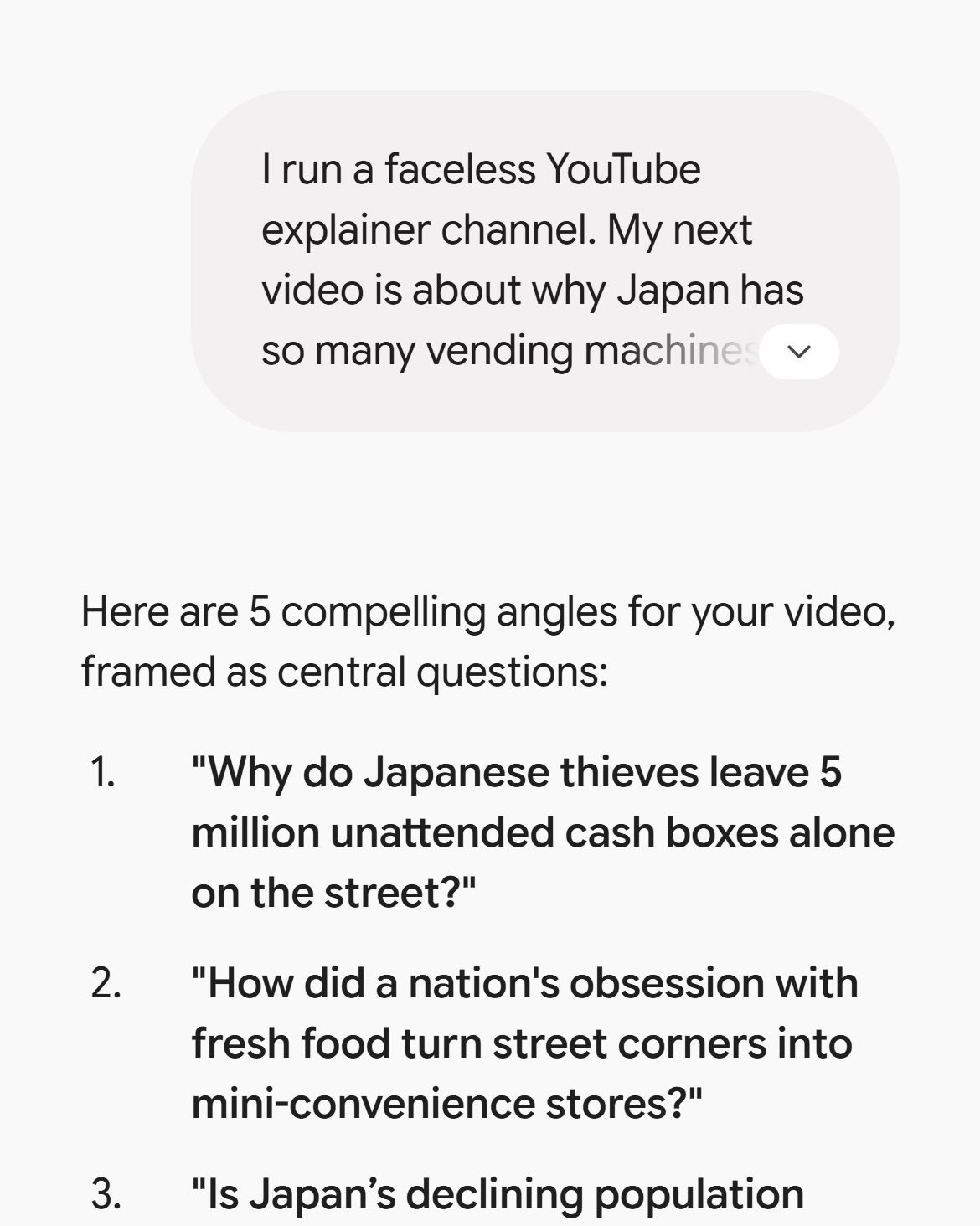
Gemini picked “Why do Japanese thieves leave 5 million unattended cash boxes alone on the street?” It’s a good question. Its number turned out to be a problem, which is the whole reason for step 2.
Step 2: Build a fact sheet before you write a line
A faceless channel has no presenter to vouch for it, so its facts carry the trust. Before you draft anything, make a list of every fact you plan to use, with the source, publisher and year next to it. By hand, that means opening official statistics, studies and primary documents, and writing down only what you read there.
In a chat, ask for sources on every line and ask it to admit doubt:
Let’s go with angle [number]. Make me a fact sheet for it: 8 to 10 facts, each with its source (organization, title, year and link). Prefer official statistics and research over news articles. Mark any fact you are not fully sure about with [CHECK].
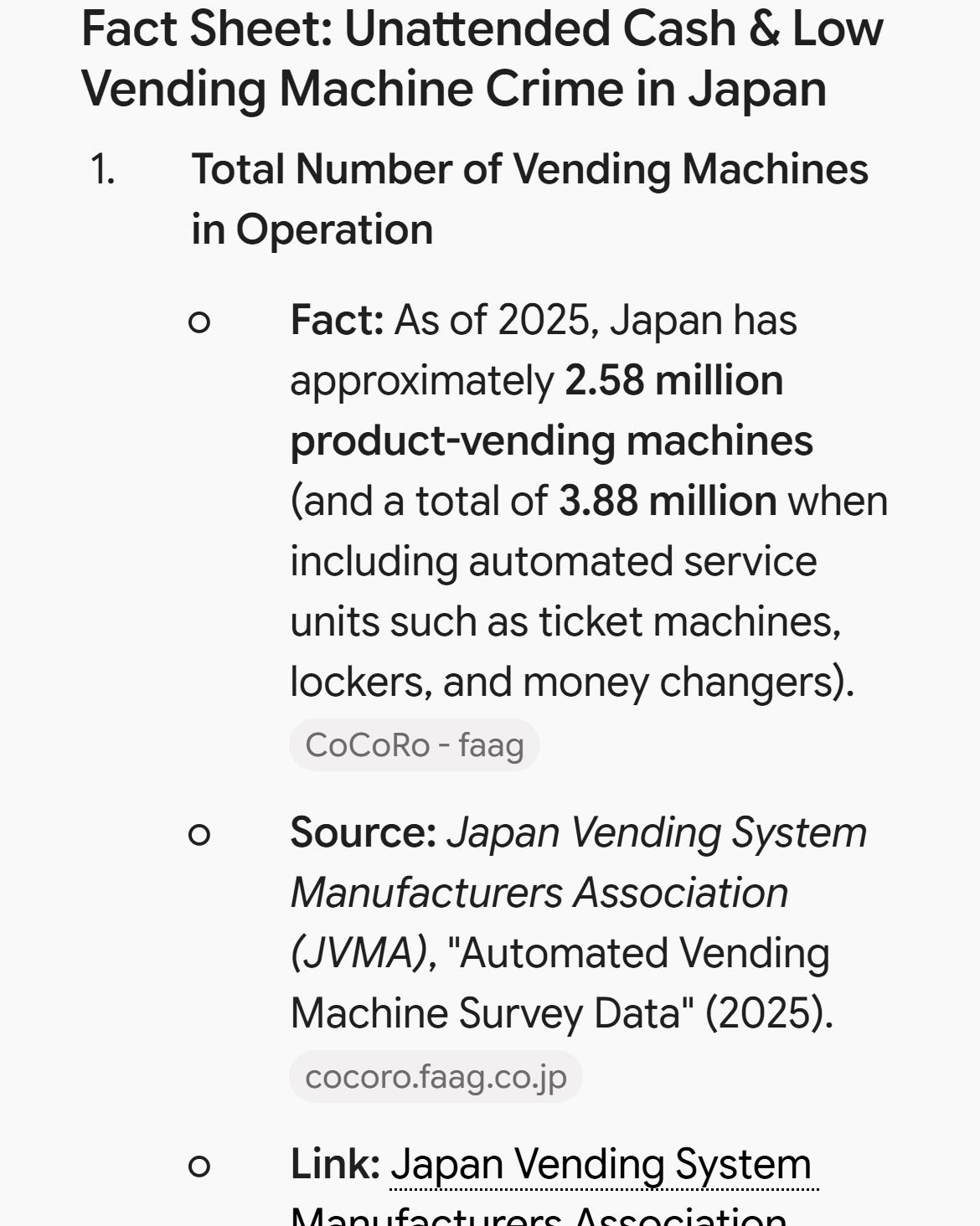
The same chat that suggested “5 million cash boxes” now said Japan has about 2.58 million product vending machines, and 3.88 million if you count ticket machines and lockers. It also marked four of its eight facts with [CHECK]. Neither of those is a failure of the prompt. It’s the prompt doing its job: it showed you exactly where to look before you build a video on a number.
The rule I’d keep: a fact goes into the script only after you’ve opened the source yourself and seen the number there. An AI’s link to a source is a lead, and you still have to follow it.
Step 3: Set a word budget
Length is easier to plan in words than in minutes. A calm narrator reads about 150 words a minute, so an 8-minute video needs roughly 1,200 words. Our guide to YouTube script length has the full table and the research behind that number.
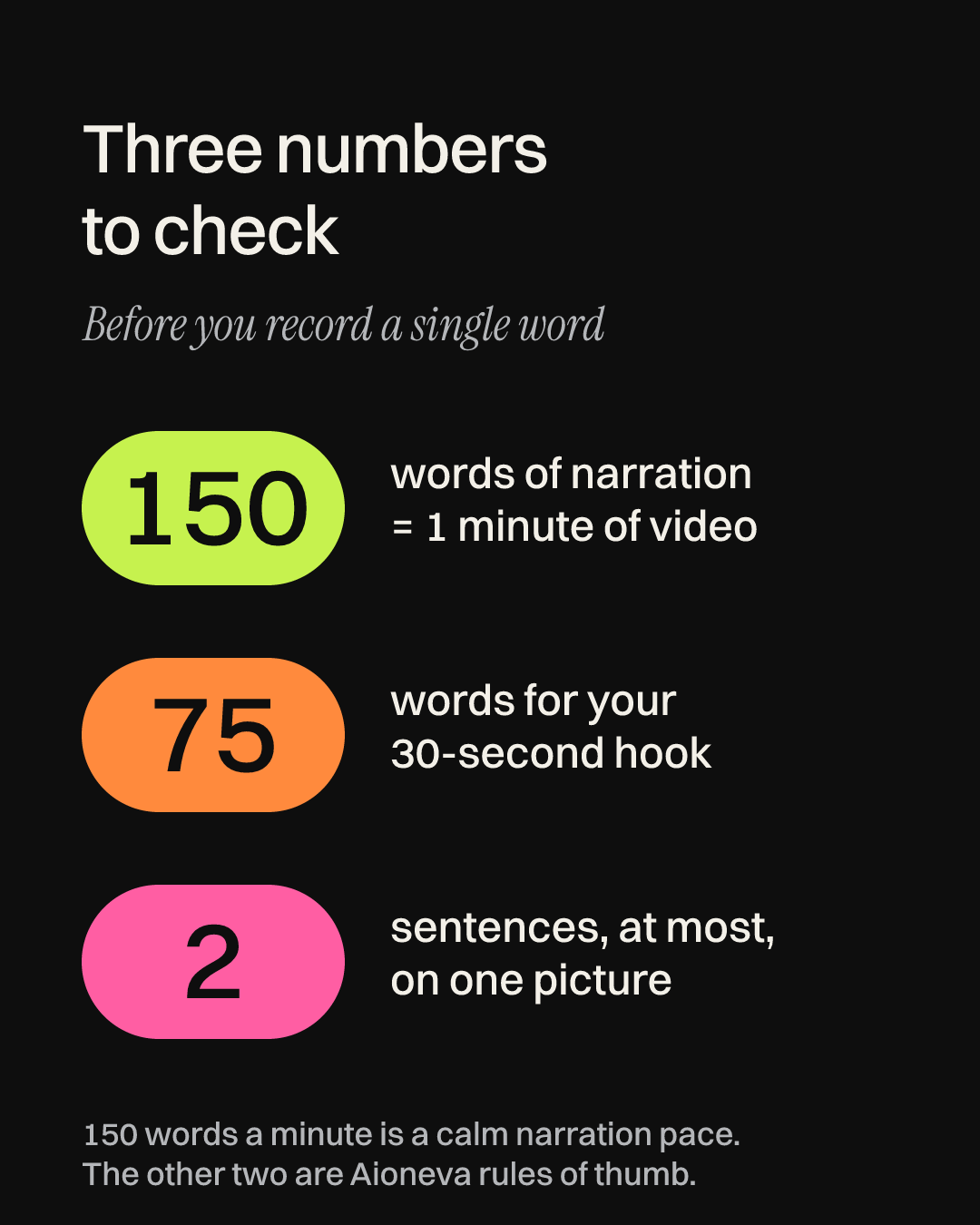
Then split the total into parts. For that length, a budget that works looks like this: about 75 words for the hook (the opening 30 seconds), four beats of 250 to 275 words each, and around 100 words to close by answering your question. A beat is one stretch of the story that moves the viewer a step closer to the answer. Each one should finish on a new question, so the viewer has a reason to keep going.
Use only facts [numbers] for now. Outline an [8]-minute video, which is about [1,200] words of narration at 150 words a minute. Give me: a hook of up to 75 words, 4 beats with a word budget for each, and an ending that answers the opening question. Each beat should end on a question that pulls the viewer into the next one.
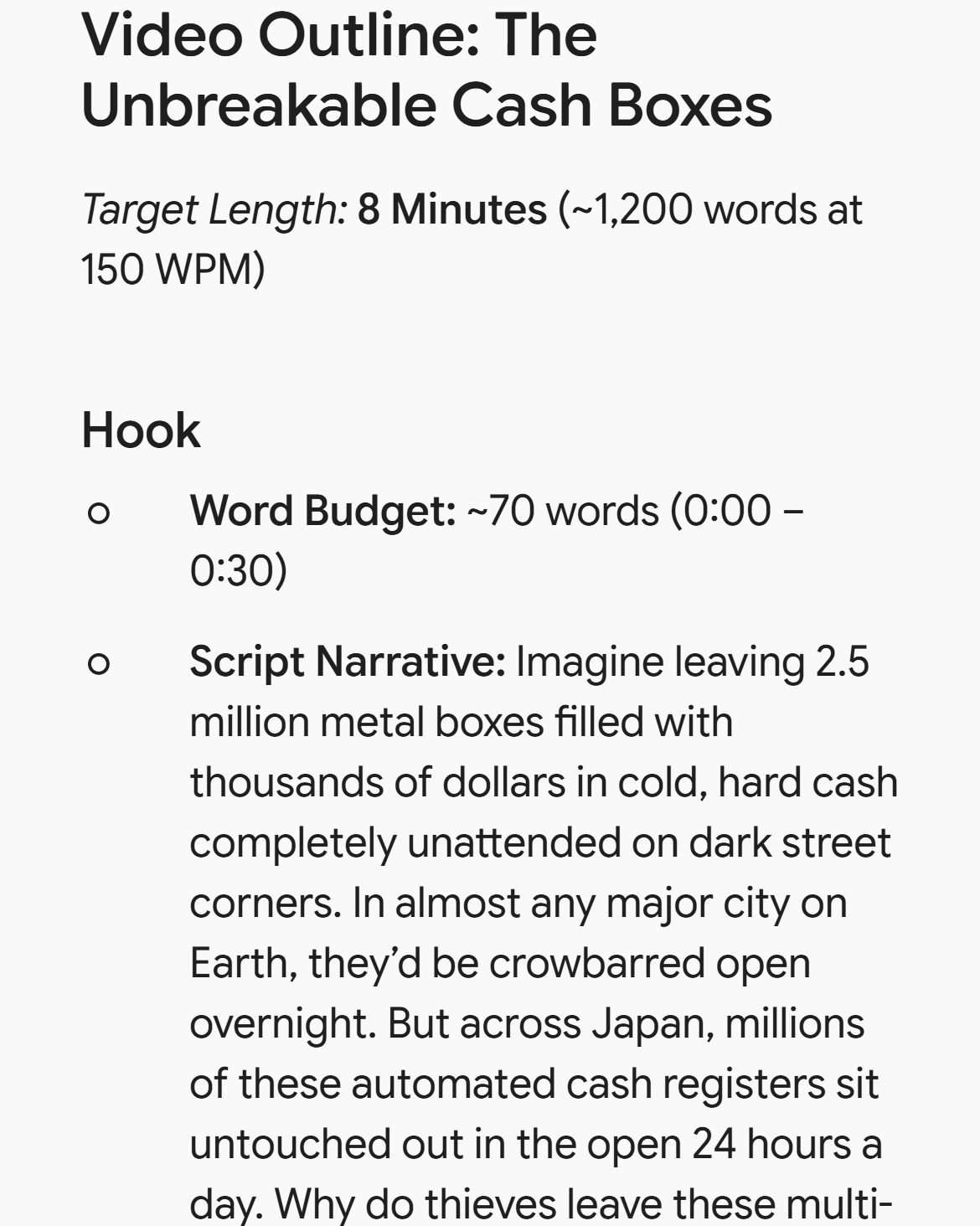
Limiting the outline to checked facts matters more than it looks. If an unchecked fact makes it into the outline, it tends to survive all the way to the voice-over.
Step 4: Write the hook
The hook has three parts: a specific moment the viewer can picture, the stakes (what’s strange or important about it), and the question. Leave out the channel intro, “in this video” and requests to subscribe. They use up the seconds when a viewer is deciding whether to stay.
Gemini’s hook opened with “Imagine leaving millions of metal boxes filled with cash unattended on dark street corners.” That’s fine, but “imagine” asks the viewer to do the picturing. A stronger first line puts the viewer on one street, at one hour, in one city. You’ll see that version in the two-column table in step 5.
Then add the stakes and the question, and stop at about 75 words. You’ll find out whether it worked after you publish. YouTube Studio’s audience retention report includes an “Intro” figure, which YouTube’s help page describes as the “percentage of your audience still watched your video after the first 30 seconds.” Compare that number across your videos, and you’ll learn which kinds of openings suit your channel.
Step 5: Draft in two columns
TV documentary writers have long used a split page: what the viewer sees on one side, what they hear on the other. For faceless videos it’s the most useful habit I know, because it makes you choose the picture while you write the sentence. Here’s the hook from step 4, written that way:
| See | Hear |
|---|---|
| A quiet side street at night. One lit vending machine. | It’s three in the morning on a side street in Osaka, and nobody’s around. |
| Slow push in on the coin slot. | Just one vending machine, glowing, with a box of cash inside it. |
| Map of Japan filling with small dots. | Japan has millions of machines like it, on busy corners and empty mountain roads. |
| Back to the first machine, untouched at sunrise. | So why is this one still standing here, untouched, every morning? |
Test each row by reading the right column aloud and saying what’s on screen at that moment. If the honest answer is “some stock footage,” the sentence needs a concrete detail an editor can find: a map, a document, a photo, a simple graphic. Change the picture at least every two sentences. Plan for pictures you can actually get, too. Archive photos, public-domain footage, maps and your own screen recordings are far easier to use than a clip from someone else’s broadcast.
With AI, the prompt I used was:
Now write the hook and beat 1 as a two-column table. Left column SEE: what the editor shows (archive photo, map, stock clip, simple graphic). Right column HEAR: the narration. One row per sentence or two. Write for the ear: short sentences, one idea each, no sentence over 20 words.
Treat the result as a first draft. Gemini’s version slipped in a line about “thousands of dollars” sitting behind thin metal doors, and that claim wasn’t anywhere on its own fact sheet.
Step 6: Edit it out loud
Read the whole script aloud at a calm pace, ideally recording yourself. A listener can’t scroll back, so a few habits help a lot. Aim for an average of 15 words or fewer per sentence, and rewrite anything over 25. Put at most one number in a sentence. Repeat names more often than you would on paper, because “he” means nothing to someone who missed the last ten seconds. Wherever you run out of breath, end the sentence.
A calm read also pays off later. YouTube’s automatic dubbing can turn an English video into about 20 other languages, but it skips speech that’s “too fast, which would result in an unlistenable, sped-up dub.” With no lips on screen to match, faceless videos are a natural fit for it.
Step 7: Pressure-test it in a fresh chat
This is where the free file comes in. The pressure-test file is a plain text file with nine tests: length, hook, the question thread, pictures, the ear test, facts, originality, voice and dubbing, and AI labels. Each test has a clear pass or fail rule, like the word budget from step 3. Upload the file to Claude, ChatGPT or Gemini, paste your script, and add three things: the planned length, your one question and your fact sheet. The AI returns a scorecard and the exact lines to fix.
One thing surprised me while testing it. I first ran the file in the same Gemini chat that had written the script, and it passed its own work on all nine tests. Then I opened a new chat and gave it the same script and the same file. That chat found four problems, including that the hook and first beat were 189 words long against a budget of 350.
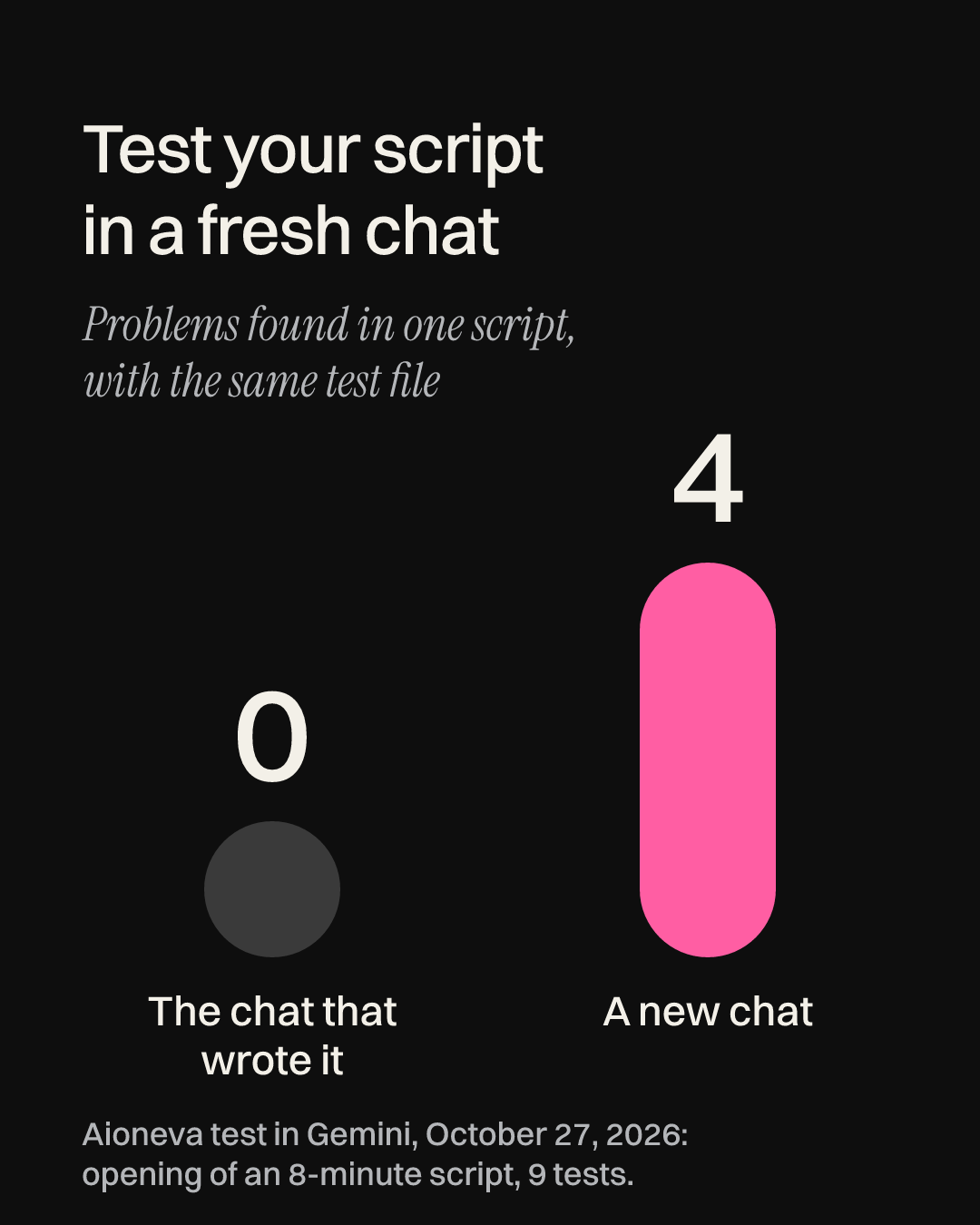
That’s one test on one script, so I wouldn’t turn it into a law. It’s still enough for a habit: review your script in a new chat, or in a different AI from the one that drafted it. You can read the full writing chat and the fresh review to compare them yourself.
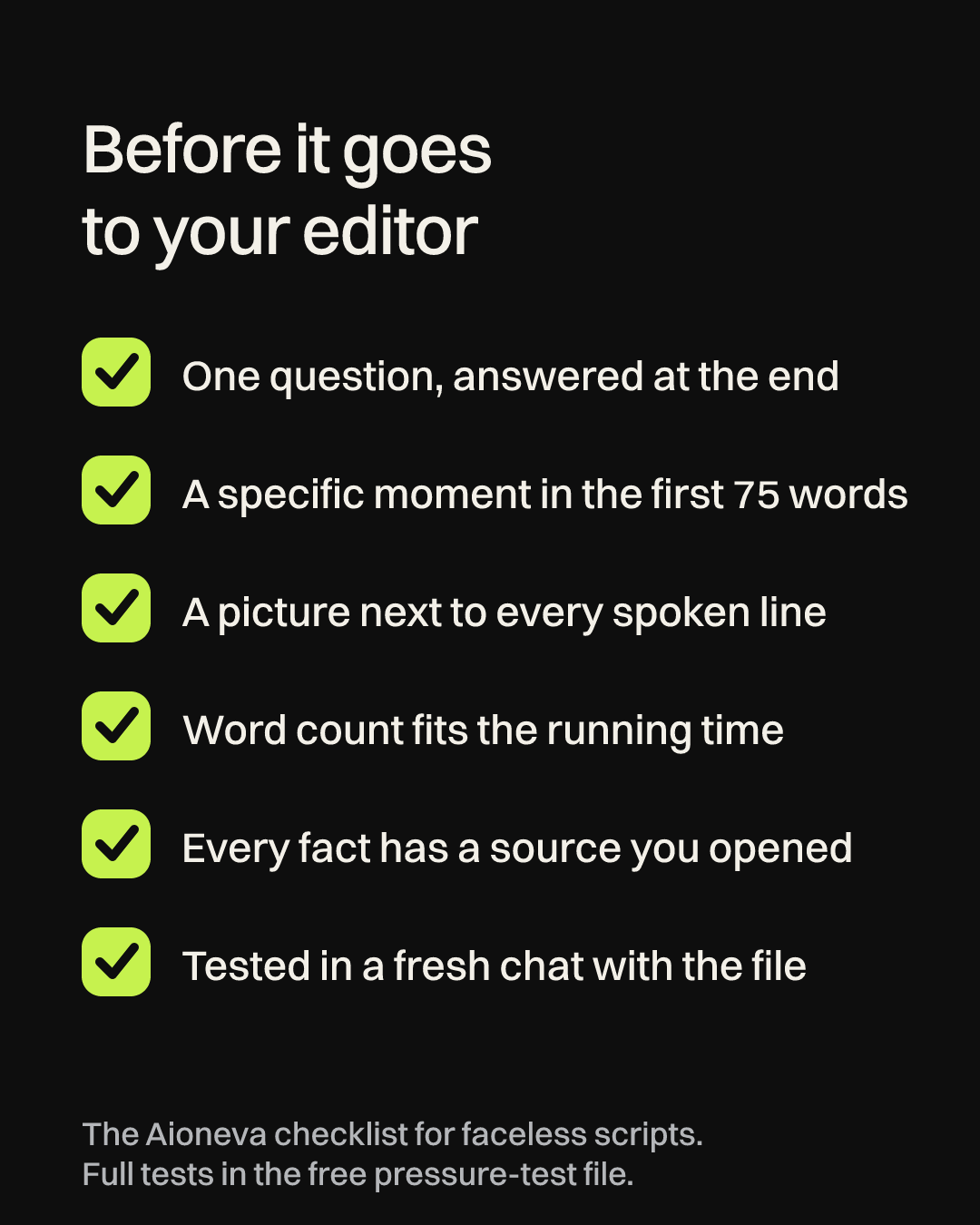
Step 8: Final checks before it goes to your editor
One last item belongs on the list if you use AI visuals. YouTube’s disclosure rules ask you to label realistic AI content, such as a lifelike scene of a real event that didn’t happen, using the “AI use” setting in YouTube Studio. AI help with a “video outline, script, thumbnail, title, or infographic” needs no label, so a script written with the steps above is fine as it is.
This is the same process we use for Royal Stories, a faceless channel we run. If you’d rather hand over the research, scripts, narration and editing altogether, that’s what our YouTube channel management covers. And if your channel tells documentary stories, our guide to writing a YouTube documentary script goes deeper on structure.