Takes No. 001
Your website’s AI chatbot may stop working soon. Here’s how to check
OpenAI is switching off a long list of AI models, the first on October 23. If your site's chat widget or automations use one, here's a 15-minute check.
What happened
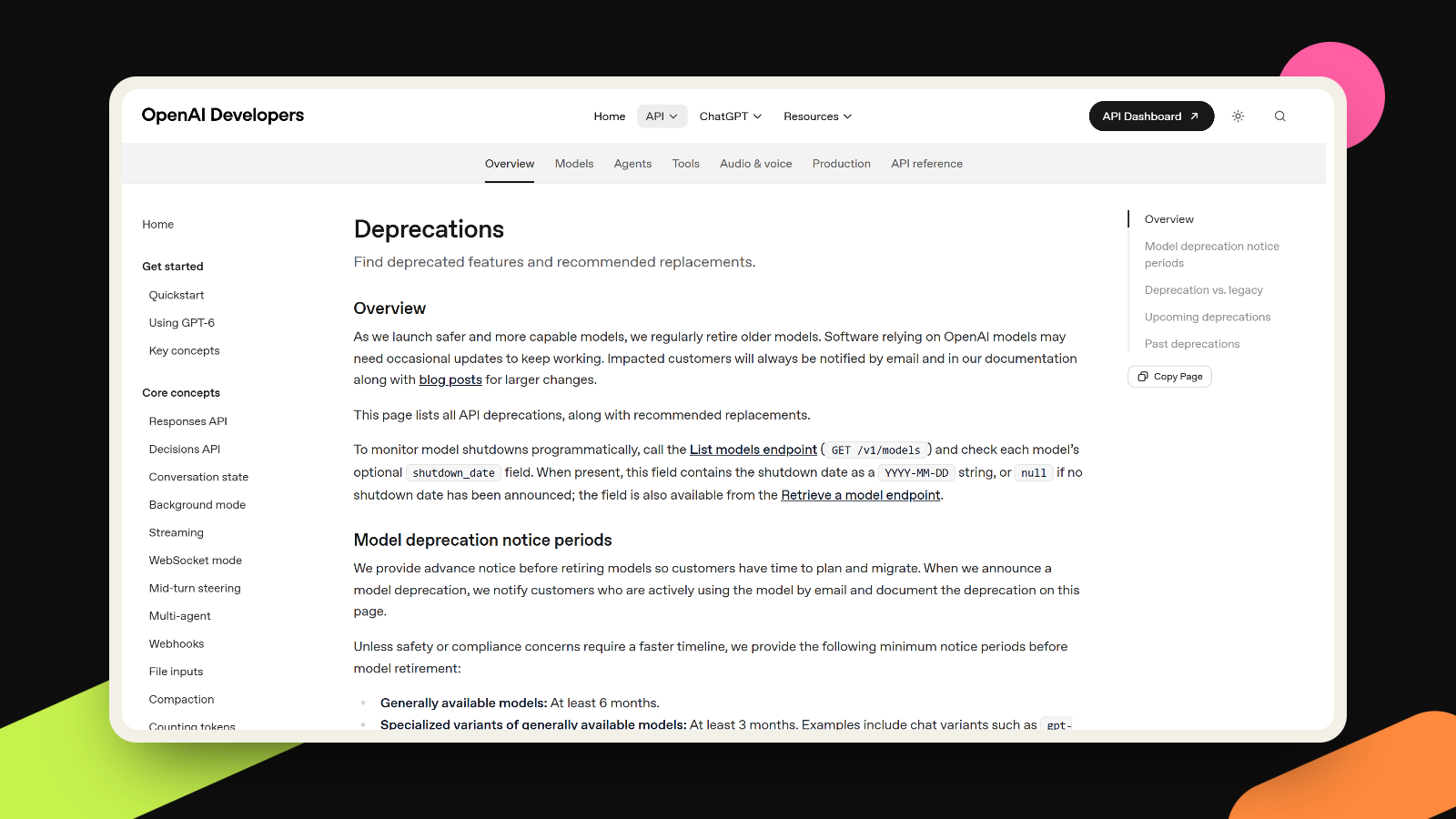
On October 14, OpenAI told developers that GPT-4o, GPT-4o mini, GPT-4.1 and GPT-4.1 mini will be removed from its API on January 14, 2027, according to OpenAI’s own deprecations page. Further down the same page, an older group switches off much sooner, on October 23, 2026. That group includes the original gpt-4 and gpt-3.5-turbo, two names you still find in the settings of plenty of chat widgets and plugins.
- October 23, 2026: gpt-3.5-turbo, gpt-4, gpt-4-turbo, gpt-4.1-nano, the first GPT-4o snapshot (gpt-4o-2024-05-13), o1, o3-mini, o4-mini and the image model gpt-image-1.
- January 14, 2027: the four models from the October 14 notice, plus any fine-tuned versions of them.
OpenAI keeps the wording short: once a model is shut down, it “will no longer be accessible.” It names a replacement for every model on the list, so the fix is usually a settings change. Somebody still has to make it, though, and before the date.
What it means for you
I read these notices more often than I’d like to admit, and this one follows a familiar pattern. In our experience, AI features on small business websites get set up once and then left alone. Someone picks a model in a plugin’s settings, the chatbot works, and that screen rarely gets opened again.
That model choice is usually sitting right there in the settings. The Simple AI Chat Embed plugin for WordPress has a “Default AI Model” setting, and its own instructions use gpt-4 as the example model, one of the names switching off on October 23. Its listing also says it hasn’t been updated in over a year, which is exactly the kind of plugin that won’t fix this for you. Automations work the same way. Zapier’s setup guide for its ChatGPT integration lists extra requirements just for using GPT-4o, because each step runs on the specific model you chose when you built it.
So the risk is dull but real. A “chat with us” bubble or a form helper quietly stops answering, and the first person to notice is a customer. And when you do switch, the replacement won’t sound exactly like the old model. Your chatbot is often the first real conversation a customer has with your brand, so that matters as much as the deadline.
What to do this week
- Write down every AI feature you use: chat widgets, form helpers, writing tools inside your website editor, and automations in Zapier or Make that call OpenAI.
- For each one, find the model setting. In a plugin it is usually on the plugin’s own settings page. In an automation, open each step. If a developer built the feature, ask them to search the code for the model names above.
- If the feature comes from an outside service, ask the vendor which model it runs on and when they plan to switch.
- Before you switch, take the ten questions customers ask most often and run them through the old model and the new one side by side. Read the pairs out loud. The new answers should be just as accurate, short enough for a small chat window, and written the way you’d talk to a customer yourself.
- If the voice drifts, adjust the instructions your chatbot gets about tone and length (most tools call this the system prompt). A few clear sentences there usually bring it back.
- Put a reminder in your calendar for early January, even if everything looks fine today.
If you’re not sure what is running behind your website, that’s a fair thing to ask us about. Tell us what you’re using and we’ll take a look.
More takes
All takes