

A Claude skill is a folder of instructions, sometimes with a few small scripts, that teaches Claude how to do one job well. Video editing has turned into one of the busiest corners for them. The biggest list I found on GitHub tracks 469 open-source video skills and toolkits, and it grows every week.
Nearly all of them are free to download. That’s the good news. It’s also why you should slow down before you install one, because a skill runs on your computer with the same access to your files that Claude has. This guide covers the five video skills I’d look at first, what each one really costs to run, the check I do before installing anything, and how to set one up in Claude Code. We use Claude in our own editing work, so this is the list I’d give a friend who asked.
There’s a free file to go with this guide: download the skill safety check (.md). Give it to Claude along with any skill folder, and it reads every file and reports what the skill would do before you turn it on.
What a skill does in a video edit
Claude doesn’t watch your footage the way you do. A video skill gives it a method instead. Most of them turn the audio into a transcript with a timestamp on every word, decide where to cut from that text, and then hand the actual cutting to ffmpeg, the free command-line tool that a lot of video software is built on. Claude looks at still frames only when it needs to, like checking a cut point between two takes.
That’s why most video skills run in Claude Code, which works in a terminal or in the Code tab of the Claude desktop app. Your clips and tools like ffmpeg live on your own computer, and Claude Code can reach them there. The regular Claude chat can use skills too. You upload a skill as a ZIP file under Customize, then Skills, with code execution turned on, as Claude’s help center explains. That works well for skills that plan or write, like a shot list. For cutting an hour of footage, I’d use Claude Code.
Five free video skills worth knowing
I picked these by what they do, who publishes them and whether someone still maintains them. I checked every repo on GitHub on November 12, 2026, so the star counts and dates below are from that day.
video-use, for cutting footage you already shot
video-use comes from the team behind Browser Use. It has about 31,000 stars, an MIT license (use it for anything, including client work) and its last update was October 8, 2026. You drop your raw takes in a folder and ask for something like “edit these into a launch video.” It reads the takes, proposes a plan, waits for your OK, and then removes filler words and dead air, adds subtitles and renders a finished file.
The skill is free, but the transcription is not. It sends your audio to ElevenLabs Scribe, which costs $0.20 per hour of audio on the ElevenLabs API pricing page. A 10-minute raw talk works out to about 3 cents, which is less than the coffee you’ll drink while it renders. It also means your audio leaves your computer. I opened the scripts to check what else it talks to, and the only web addresses in them belong to ElevenLabs.
Remotion’s own skills, for motion graphics made in code
Remotion is a tool for making videos with code: titles, animated charts, captions and whole explainer videos. Its team publishes official skills that teach Claude how to start a project, write the animation, preview it and render it. We use Remotion for motion work at the studio, and having Claude follow the team’s own rules saves a lot of fixing later.
Read the license before you build a business process on it. On Remotion’s licensing page, it’s free for individuals and companies of up to three people. Bigger companies need a paid company license.
HyperFrames, for turning a web page into a video
HyperFrames is made by HeyGen and uses the Apache 2.0 license, which allows commercial use. With about 83,000 stars and an update on the day I checked, it’s the most-starred project here. Claude writes the video as a web page (HTML, CSS and animation), and HyperFrames records that page as an MP4. It suits product demos and launch videos, especially if you already have a website to pull the look from.
Claude Code Video Toolkit, for a full video from a prompt
Digital Samba’s video toolkit (MIT, about 2,500 stars, updated November 11) goes from idea to finished file. It writes the script, makes a voiceover, adds music and visuals, and renders. It’s built for videos you make from scratch, more than for editing your own recordings. “Free” here means the models are open source. You run them on a cloud GPU account you set up yourself, so you pay that provider for what you use.
Video Editor Skills, for DaVinci Resolve users
Video Editor Skills is the newest here, published October 23, 2026, with 441 stars. It contains no code at all. It’s twelve written skills on rough cuts, pacing, B-roll, captions and export, and Claude builds the small scripts with you for your own setup. I like its rules: Claude never changes your raw footage, and in Resolve it only adds new timelines and never touches your template.
It needs DaVinci Resolve Studio (the paid version, because the free one can’t be scripted from outside), plus ffmpeg, Python and a speech-to-text service. The license is CC BY-NC 4.0, which rules out use in anything sold, and the author lists services among those. If your videos are for a business, ask the author before you rely on it.
One more finding put all of this in perspective for me. The people behind the big GitHub list ran 16 video skills on the same short brief and also tried Claude Code with no skill at all. The no-skill run passed the same four checks in 4.4 minutes. Their advice is that a skill earns its place when it brings a look, a workflow or footage to edit. For a simple promo, plain Claude may be enough, which is good news for anyone who has 40 tabs of GitHub open right now.
Where to find more, and why a “safe” label isn’t enough
Start with skills from the company that makes the tool: Remotion, HeyGen and Browser Use each publish their own on their official GitHub accounts. After that, the most useful map I found is Awesome Claude Video Skills, which sorts those 469 repos by type and gives each one a security grade from the site Agent Skills Hub.
Treat that grade as a starting point. In June 2026, Palo Alto Networks’ Unit 42 researchers reported on ClawHub, the skill marketplace for the OpenClaw agent. ClawHub had added two scanners, VirusTotal and its own ClawScan, after malicious skills showed up in February. Between February and May, Unit 42 still found five harmful skills those scanners didn’t block. Two installed programs that steal data from Macs, and one got past both scanners just by padding its file to an unusually large size.
A month later, the Cloud Security Alliance summarized research from the Hong Kong University of Science and Technology. By repackaging 1,613 real malicious skills, the researchers got past eight different scanners more than 90% of the time. The alliance’s takeaway is that a “scanned” badge on a listing is weaker proof of safety than it looks.
Those cases come from OpenClaw’s marketplace, not Claude’s. Skills use a shared format across agents, though, so a skill on GitHub installs in Claude Code just as easily. Anthropic’s own documentation is clear on this: “Use Skills only from trusted sources.” It defines those as skills you wrote yourself or got from Anthropic, and it asks you to audit everything else. Every video skill in this guide comes from someone else, so the audit is your job. It takes about five minutes.
The 5-minute check I run before installing a skill
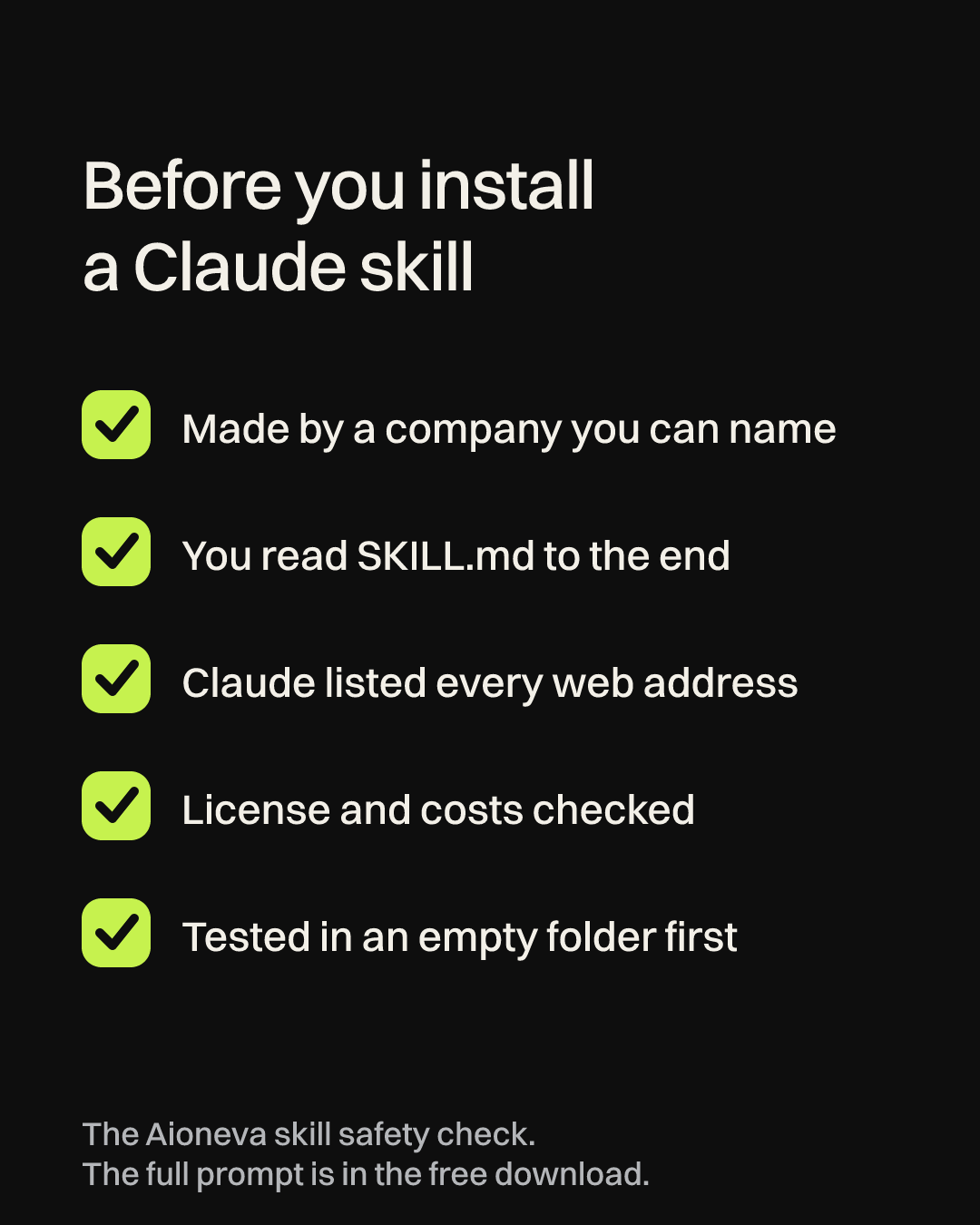
- See who publishes it. A company account that the tool’s own website names is the strongest signal. Remotion’s docs, for example, give the exact repo in their install command. Stars and recent updates show that people are paying attention, which helps, but they don’t prove anything is safe.
- Read SKILL.md from top to bottom. It’s plain text and usually takes two minutes. Stop if it tells Claude to download and run something from a link, read files outside your project (like your SSH keys or browser data), ask you to paste a password or key into the chat, or skip permission prompts.
- Have Claude report what the skill touches. Open the skill folder in Claude Code and use the prompt below. This is how I checked video-use.
- Check the license and the running costs. MIT and Apache 2.0 allow commercial use. CC BY-NC doesn’t. Then note every paid service the skill depends on, such as transcription or cloud GPUs.
- Test it in an empty folder. Copy in one clip, never your only copy of anything. Keep Claude Code’s permission prompts on so it asks before it runs each command, and read each command before you say yes.
Read every file in this folder before I install it as a skill. Don’t run anything. List every web address it contacts, every command that downloads or installs something, every file it reads or writes outside this folder, and every API key or password it asks for. Then tell me in one sentence whether anything doesn’t match what the skill says it does.
How to install a video skill in Claude Code
First install Claude Code and ffmpeg. On a Mac, ffmpeg is one command if you use Homebrew (brew install ffmpeg). Then get the skill’s folder from GitHub, either by downloading the ZIP or by cloning it.
Put the folder in one of two places. The Claude Code docs explain that skills in ~/.claude/skills/ work in every project, while skills in a project’s own .claude/skills/ folder only work there. Every skill needs its SKILL.md file, so check that it sits at the top of the folder you copied and not one level deeper. For video-use, the manual setup from its README looks like this:
git clone https://github.com/browser-use/video-use ~/Developer/video-use
ln -sfn ~/Developer/video-use ~/.claude/skills/video-use
cd ~/Developer/video-use && uv sync
cp .env.example .env
Add your API key to that .env file yourself in a text editor. That keeps the key out of your chat history. Some publishers also offer a one-line installer. Remotion’s is npx skills add remotion-dev/skills, and HyperFrames installs as a Claude Code plugin. They’re handy, but they pull whatever is in the repo at that moment, so run your check first.
To use a skill, open Claude Code in the folder with your footage and ask in plain words, such as “cut the filler words out of interview.mp4 and add captions.” Claude loads the matching skill on its own. You can also call one by name with a slash, like /remotion-create.
What a skill still leaves to you
Skills are very good at the mechanical half of editing: filler words, silences, captions, loudness and export settings. They’re much weaker on the half viewers actually notice. Picking the funnier take, holding a pause one beat longer, deciding what the first three seconds should be: those are still judgment calls. The video-use team says much the same in their own design notes, where production rules are fixed and taste is left open.
That matches what we see. Claude gets a client Short to a clean first cut quickly. The time we spend after that, on pacing and the opening, is the part I wouldn’t hand over, and it’s what our guide to YouTube hook examples digs into. If you’d rather hand over the whole edit, along with the scripts and the channel, that’s what our YouTube channel management covers.